Key Features
The Visual Basic Upgrade Companion (VBUC) includes powerful features & customization/extensibility options that help you move your code to C# or VB.NET.
VBUC dramatically reduces the amount of manual work and produces native .NET code.
The translated application will compile and run with equivalent behavior to the original VB6 system. VBUC outputs native code so you have no dependencies on third party runtimes. Even better, the code quality is so high that your teams will find it very easy to maintain the generated .NET code.
How is VBUC different?
Faced with the need to modernize legacy source code, IT professionals have several choices:
- Full manual rewrite:
Fraught with risk and problems. Fully 70% of software rewrites fail to meet budget, schedule, or requirements and are considered "troubled" or "failed" projects. Plus, even the best developers create 20 - 50 bugs per 1000 LOC: a 100KLOC project will have 2-5k bugs that must be tracked, analyzed, and fixed.
- Wrap and run:
Relying on a 3rd party runtime (DLL) to duplicate the VB runtime on a modern .NET platform. If this were a viable solution to the problem, don't you think that Microsoft would have created it first? In reality, this strategy creates a dependency on a 3rd party for your corporate assets as well as inviting future problems.
- Lift and shift:
Using Microsoft's preferred partner for automated source code migration, convert your existing code base into a modern language/platform (like C# and .NET Core), then use that as a point of departure for upgrades and enhancements.
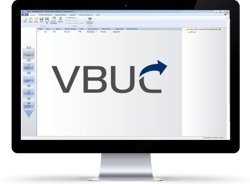
The VBUC is the perfect adjunct to the lift and shift strategy. Unlike simple semantic converters (really just enhanced regular expression editors) or tools that rely on vast complex runtimes, the VBUC uses advanced static code analysis and an extensive library of pattern and component mappings based on years of experience, thousands of migration projects, and literally billions of lines of migrated code.
Below we outline the key technical features for VBUC. For a comprehensive technical site on VBUC, please visit VB to NET.
Code Generation
C# or VB.NET
VBUC allows you to upgrade Visual Basic 6.0 source code directly to either VB.NET or C#.
Language Transformations
VBUC performs the most advanced language transformations to generate pure, clean and readable .NET source code enabling you to take advantage of its inherent features.
Advanced Code Refactoring
VBUC applies additional transformation rules to generate code that looks as if it was originally written in .NET.
Reference Resolution Between Projects
Save time, human effort and money by easily upgrading multi-project, complex applications in a single run.
Error Handling Transformation
Eliminate the “On error” and “Go to” statements from your .NET code with just a single click.
Resolve Late Bound Variable Types
All the data-type issues and annoyances are automatically fixed during the automated migration stage. Late binding variables will no longer have generic data types.
Extensibility
Switchable Migration Options
Specific transformation techniques can be set through switchable options that are displayed in a Profile Manager window. You can save different upgrade profiles, so that you can establish the most appropriate code conversion rules and component mappings for a specific migration process.
Customization and Extensibility
All the specific code techniques and patterns found in your code can be described in the Visual Basic Upgrade Companion’s core, including the ability to add or fine-tune existing support for ActiveX controls and libraries.
Support for Additional Customizations
Mobilize.Net can add customizations to the VBUC’s migration engine at the users' request. This powerful approach allows highly detailed transformations into the resulting source code, ranging from adding support for a particular non supported legacy control to its .NET counterpart with specific member handling, to defining special handling techniques for complex language patterns to be converted into optimized .NET constructions and so forth.
Component Migration
Third Party Library Support
The Visual Basic Upgrade Companion is able to upgrade many ActiveX controls found in the original application to inherent .NET components or to newer versions of third-party controls.
Legacy Data Access to ADO.NET
Upgrade data access to ADO.NET automatically with several source-target combination possibilities.
Additional Features
User Environment
Visual Basic Upgrade Companion has an intuitive UI (Upgrade Manager) and Command Line interface designed to make it very easy for you to use the tool.
Windows API Support
Forget the manual changes required after upgrading the Windows API calls and other external dll calls to .NET.
ASP/VB6 Migration Support
Visual Basic Upgrade Companion allows the migration of mixed ASP and VB6 projects to ASP.NET and VB.NET or C# by seamlessly integrating with the ASP Upgrade Companion.
Free Source Code Helper Classes
Royalty-free .NET source code without most post-migration issues created by the vast amount of differences between VB6 and .NET.
COM Class Exposure
Access your newly generated .NET projects from your “upgrade-pending” legacy controls through COM.
Localization and internationalization (Multilanguage)
The UI and all messages, including EWIs, can now be displayed in German and Japanese, besides standard English. The user is able to select the appropriate language when the setup is executed.
Support for Microsoft Technologies
VBUC is able to generate solutions (.sln) files compatible with Visual Studio versions up to 2021. The user is able to select the Visual Studio target from a dropdown menu. It also executes all versions of Windows from Windows 7 to Windows 11, including 32- and 64-bit versions (where applicable).
Automated COM Objects Memory Management
In .NET the memory is released in a different way than VB6, and this can cause different behaviors. For example, in some cases ADO Connections will remain open for more time than in VB6. This optional feature will generate explicit code to achieve the same behavior.